
ChatterStars for schools
Vocabulary that grows. Nothing to mark.
Short, personalised vocabulary puzzles for every pupil, marked as they play, with each child’s vocabulary age to follow as it grows.
Free for your whole school. No card needed, and nothing to cancel.
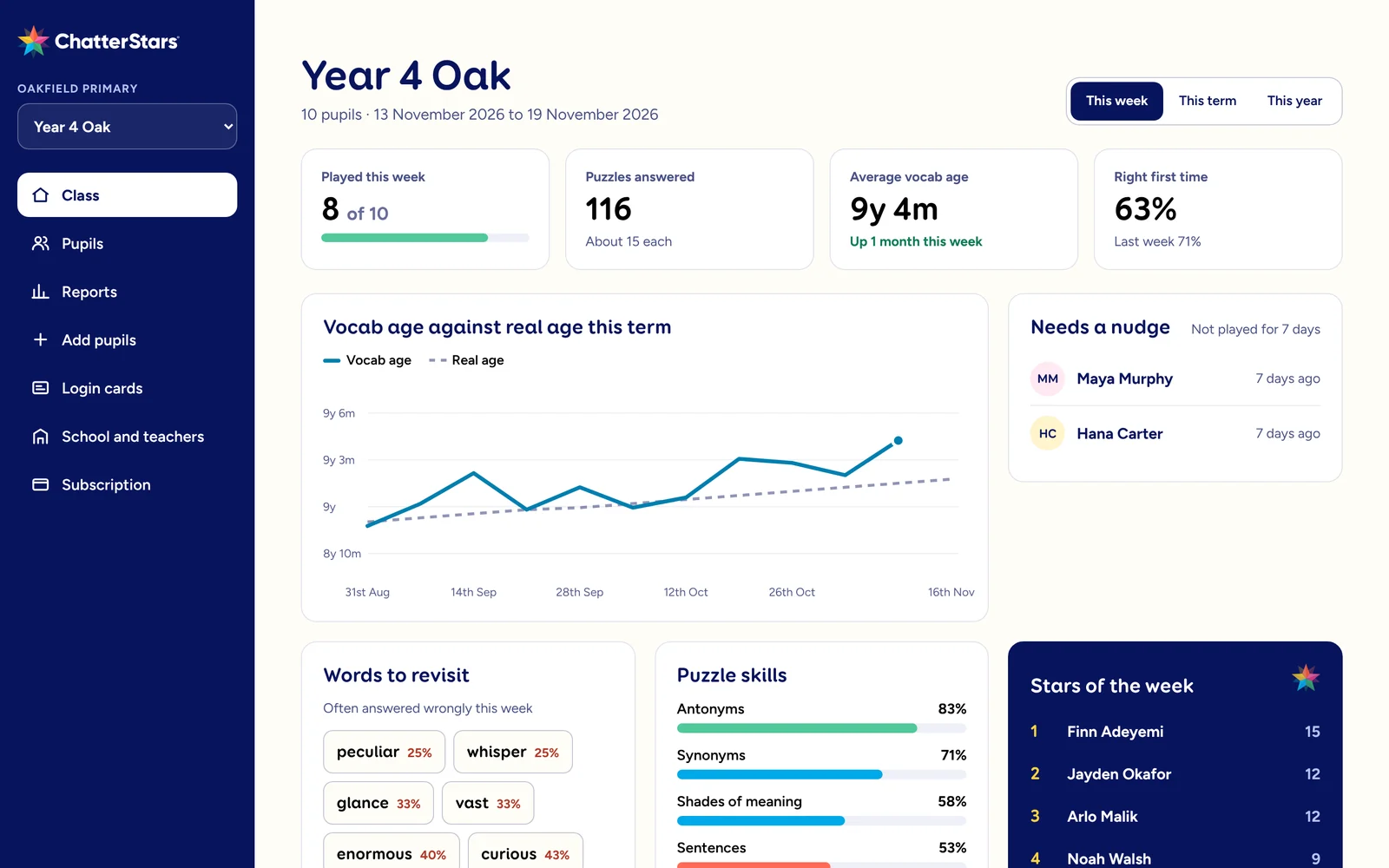
Everything a busy classroom needs.
ChatterStars does the practice and the marking, so you can spend the time on teaching.
Little and often
Short sessions that fit the start of the day, a spare ten minutes or homework. Every puzzle adapts to the pupil, so the next one is always at the right level.
In line with the UK curriculum
The word skills pupils are taught through primary school: synonyms and antonyms, word roots, shades of meaning and words in context.
Developed by education leaders
Designed by education leaders to help close the word gap, with the classroom and the school day in mind.
No marking
Every puzzle is marked the moment it is answered. Stars show attainment and gems show effort, without a single book to mark.
Unique vocabulary age tracking
Every pupil has a vocabulary age, tracked against their real age, so you can see who is ahead, who is on track and who needs support.
Printable, exportable reports
A class report for any week, term or dates, a spreadsheet download, and a printable page for every pupil.
Vocabulary age
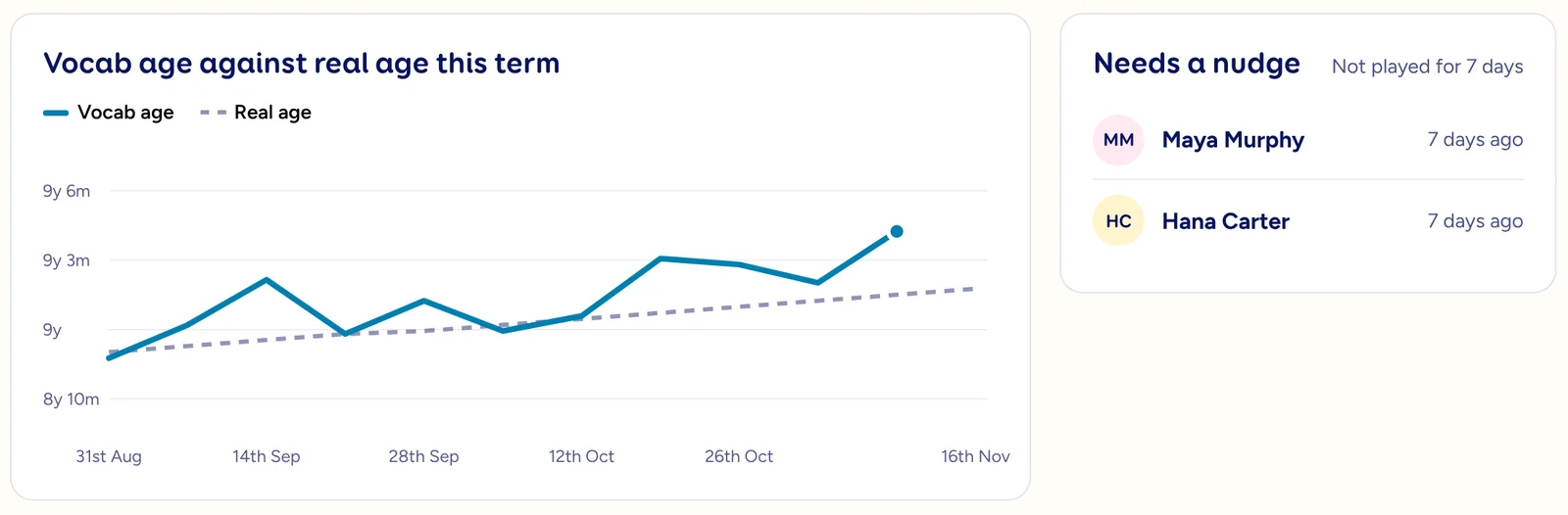
Watch every pupil’s vocabulary age grow.
ChatterStars works out a vocabulary age from how each pupil answers, and charts it against their real age across the term.
- See the class average and each pupil’s progress at a glance.
- “Needs a nudge” shows who has not played for a week.
- Words to revisit and puzzle skills show what to teach next.
No marking
The marking is already done.
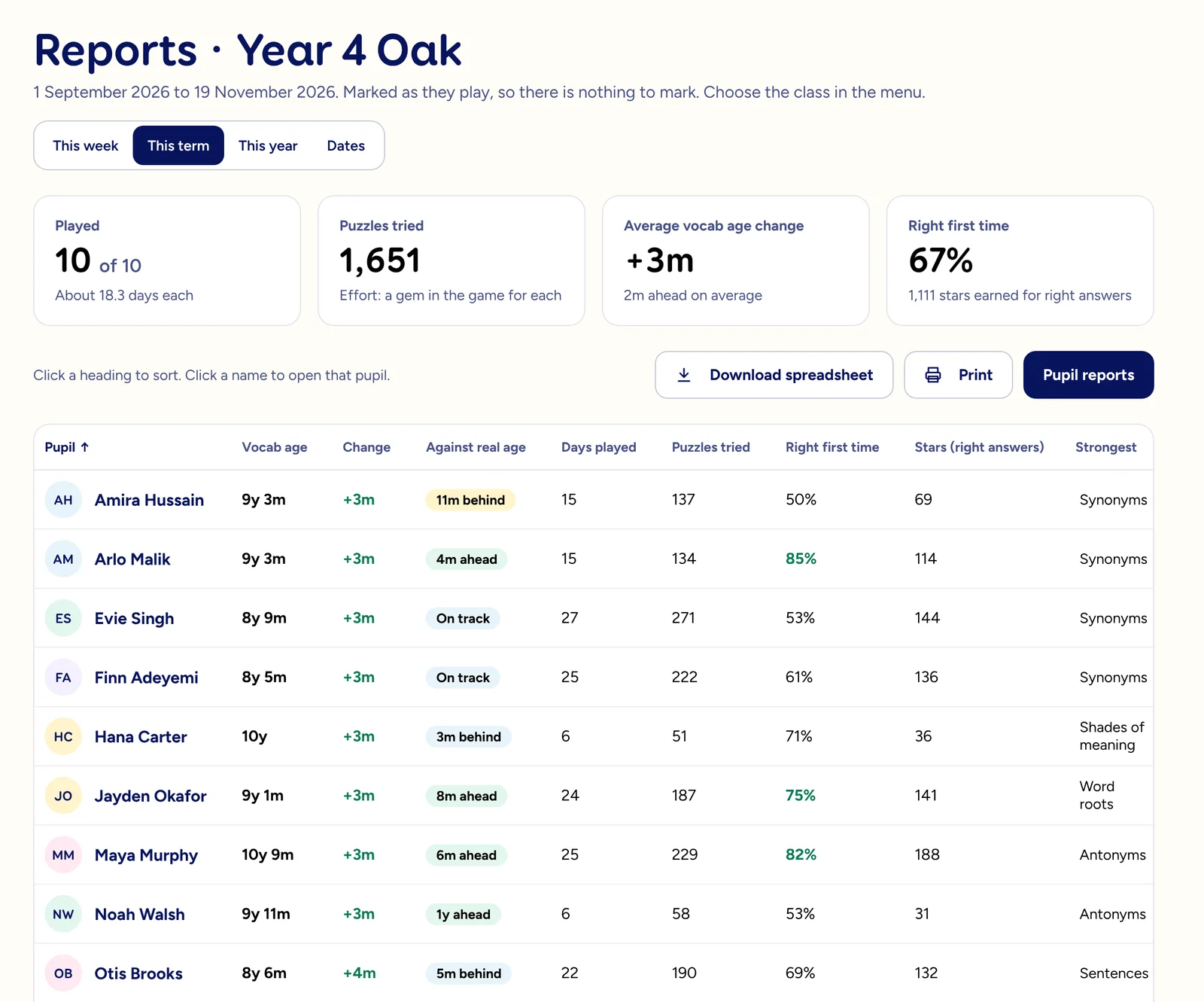
Every answer is marked as it is given. The class report lays it out pupil by pupil for this week, this term, this year or any dates you choose.
- Vocabulary age, change and how it compares with real age.
- Days played and puzzles tried for effort, right first time and stars for attainment.
- Sort any column, download a spreadsheet or print it.
Printable reports
A report for every pupil, ready to print.
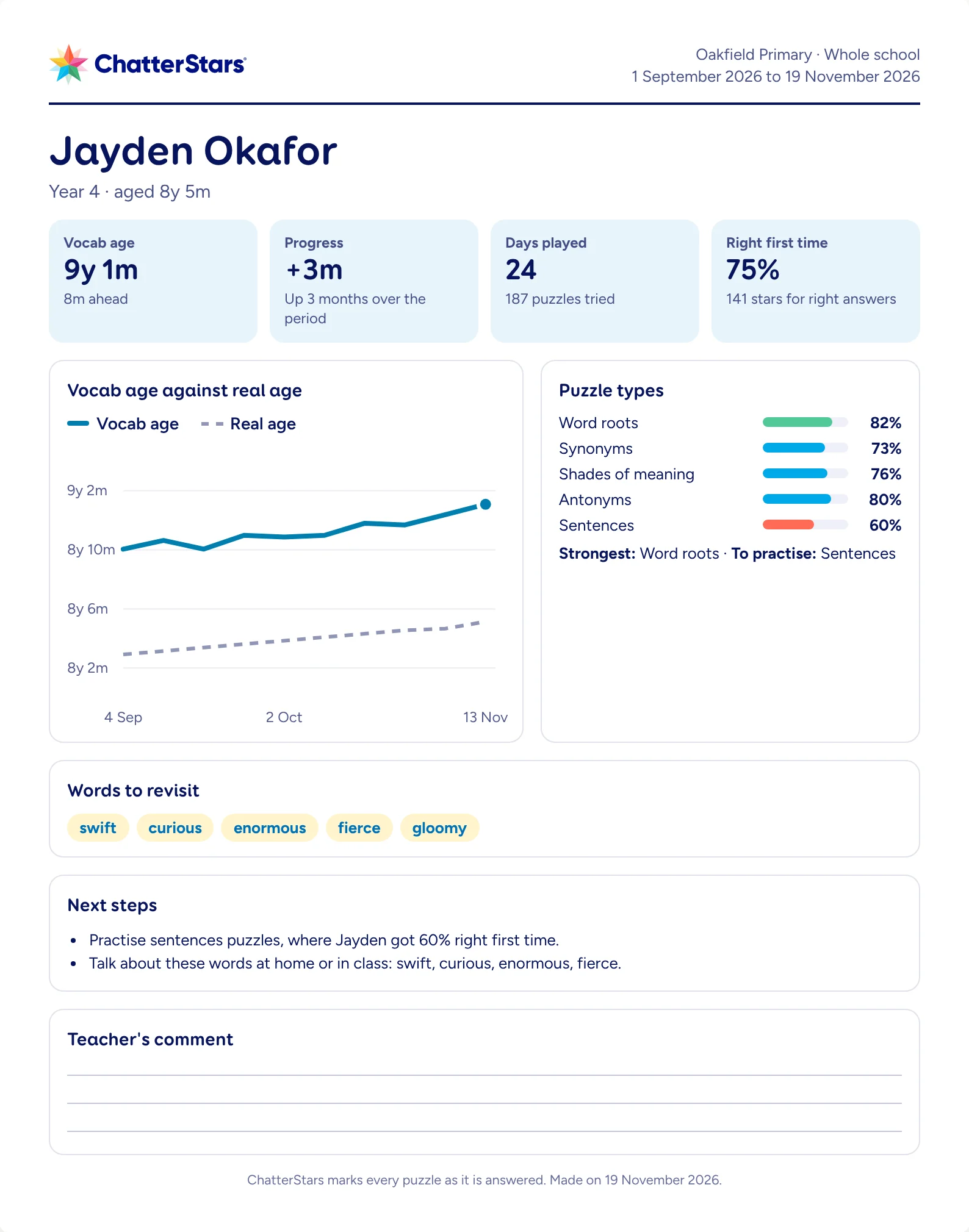
One A4 page per pupil, for parents’ evening, a progress meeting or to send home.
- Vocabulary age, progress, days played and right first time.
- Strongest puzzle type, the one to practise and words to revisit.
- Next steps from the pupil’s own figures, and space for your comment.
A whole class set up in minutes.
Paste your register, add each pupil’s month and year of birth, and ChatterStars makes the usernames and passwords. Year groups move up by themselves every September.
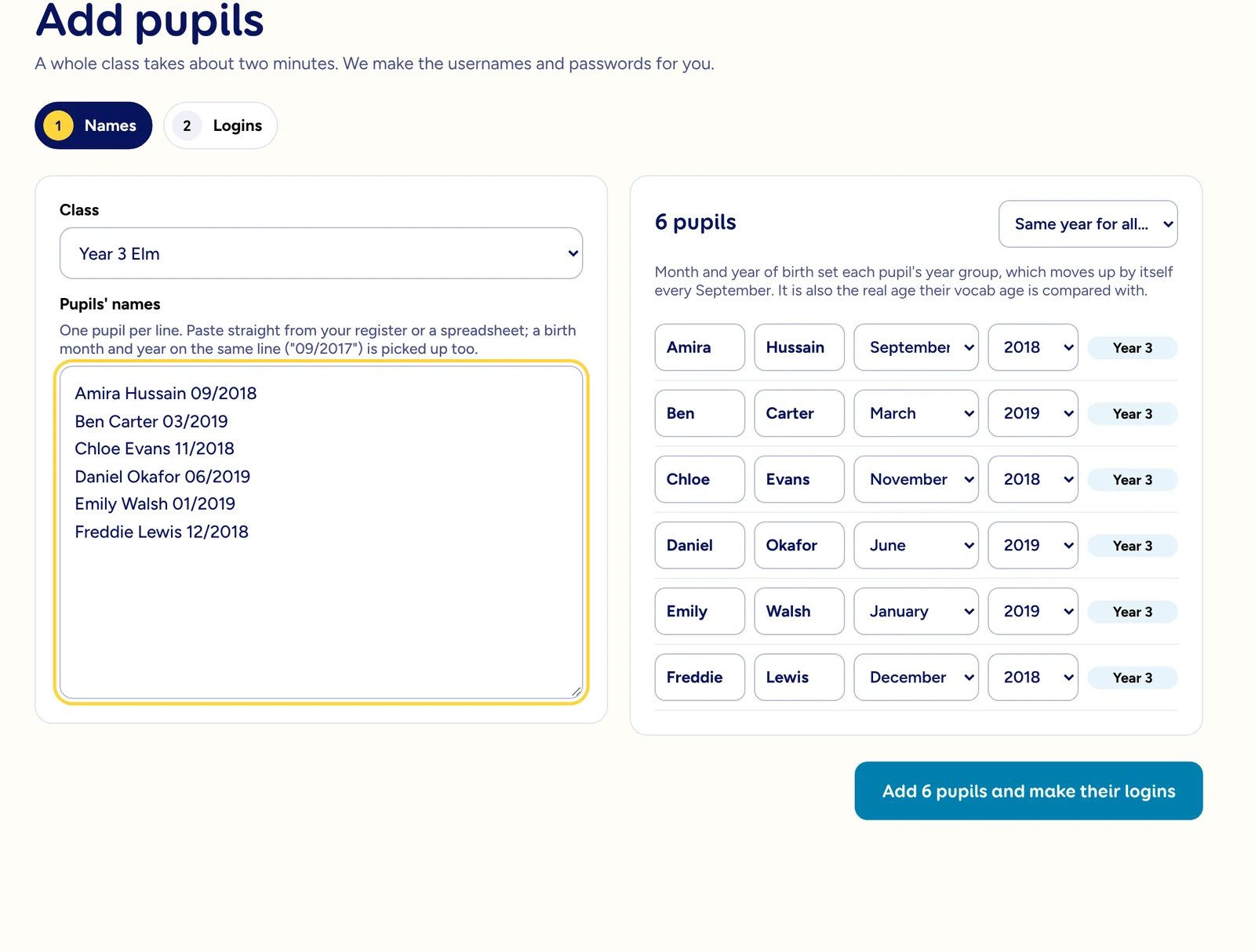
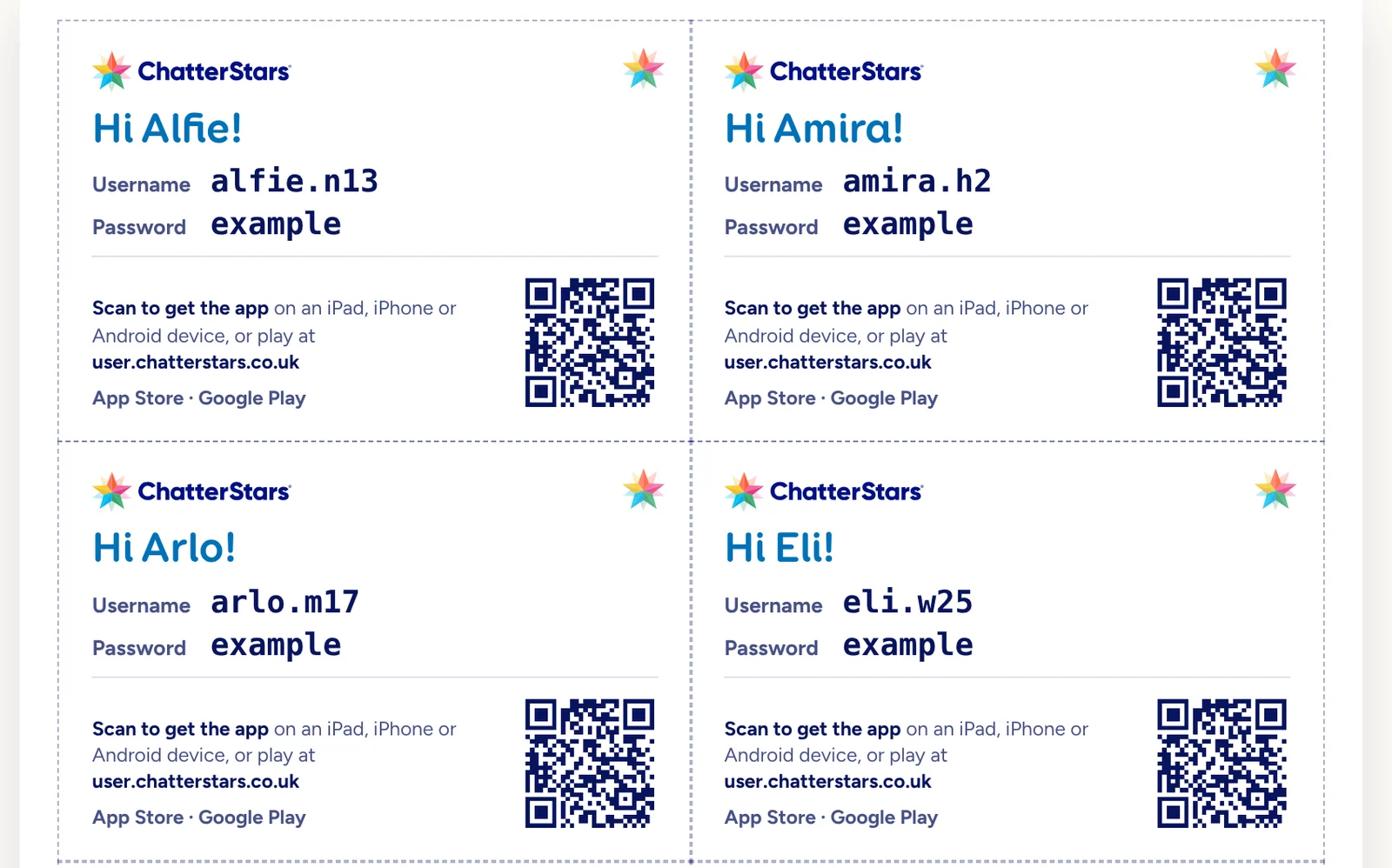
Invite your colleagues too. Every teacher sees the whole school, with their own classes first. Screens shown with example data.
How the free trial works.
- Sign your school up
Takes a couple of minutes, with no card and no paperwork. Example data shows you the reports straight away.
- Add a class
Paste the names, print the login cards and invite your colleagues.
- Watch the reports fill up
Pupils play little and often, and the dashboard and reports update as they go.
When you are ready to carry on, pay by card or by invoice, priced by the number of pupils at your school.
Try ChatterStars with your school.
Free for your whole school. No card needed, and nothing to cancel.